Introduction
This tutorial shows how to use the IR camera to detect issues (i.e.: over-heated components or short circuits) in PCBs.
-
-
The Infrared camera is located by the Virtual Reality station.
-
It uses a micro USB B (the one used in most of the Android smartphones).
-
Connect the camera to the PC you are using through its USB port.
-
-
-
Open VLC Media Player
-
From Media menu select Open Capture Device...
-
Click Capture Device tab
-
Select DirectShow from Capture Mode
-
Select PureThermal1 from video device name menu
-
Click ''Play ''button to turn it on
-
-
-
In many cases, issues arise from short circuits and over-heated components.
-
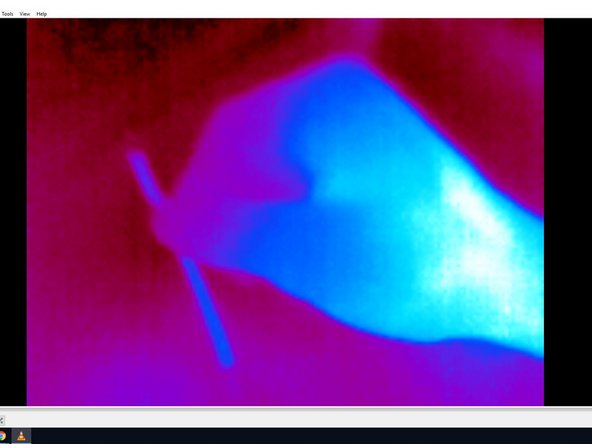
You can identify over-heated parts or components of your circuit by the blue areas on the VLC screen.
-
For example, the photo shows a hand holding a hot wire and showing the hand and the wire in blue.
-
Note that the fingertips are not in blue because they were not as warm as the hand, thus not radiating enough infrared waves.
-


Cancel: I did not complete this guide.
One other person completed this guide.